
Hello readers, Hope you’re well.
Quick post today on how to subscribe to updates on learn.Microsoft.com. I specifically wanted to get updated when new release notes were published for Microsoft Teams Rooms. Surprisingly there is no RSS feed button on learn.microsoft.com. So I took to Google to find an answer.
What I found is a post by Nikki Chappel on How to track Microsoft Docs page updates in Microsoft To-do. In the post she describes how to construct an RSS search of docs.microsoft.com then create a to-do task.
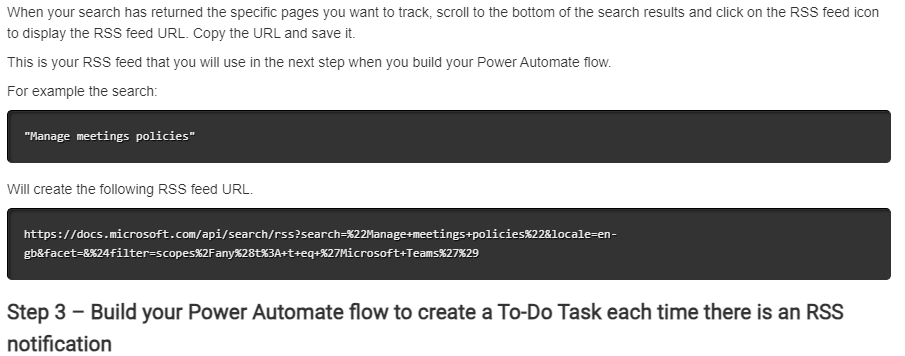
So I thought I would try her search term and code to construct my own RSS feed
The first part initiates the search – https://learn.microsoft.com/api/search/rss?search=
The next part is the search term “Teams Rooms Release Notes” – %22Teams+Rooms+Release+Notes%22
The last part is the language, the filter and scope of the search. In this case English GB and Microsoft Teams – &locale=en-gb&facet=&%24filter=scopes%2Fany%28t%3A+t+eq+%27Microsoft+Teams%27%29
This is what I came up with
Now that I have the RSS feed I added it to Outlook, then also decided to add it to a Teams channel using the RSS connector
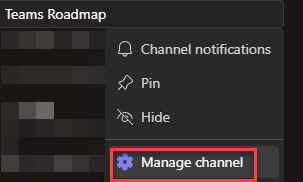
Right Click on the channel you want to add the RSS feed to and Manage the channel
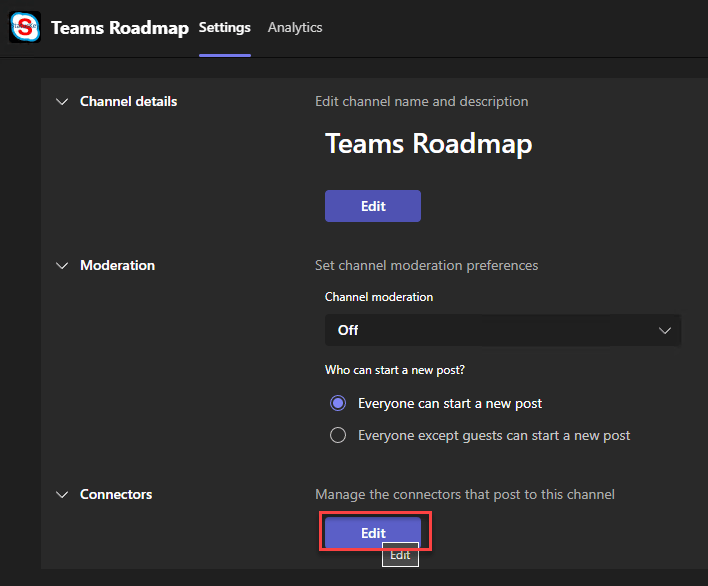
Under Connectors click edit
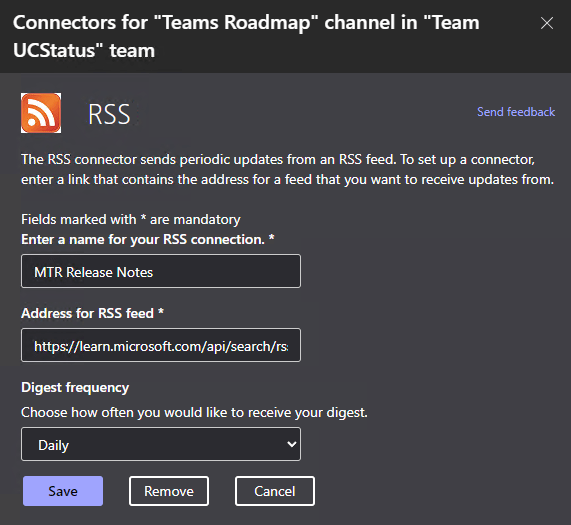
Then under RSS click Configure

Now add the name and the RSS string and choose the frequency
Then save
this is what you will see in the channel after it is added.
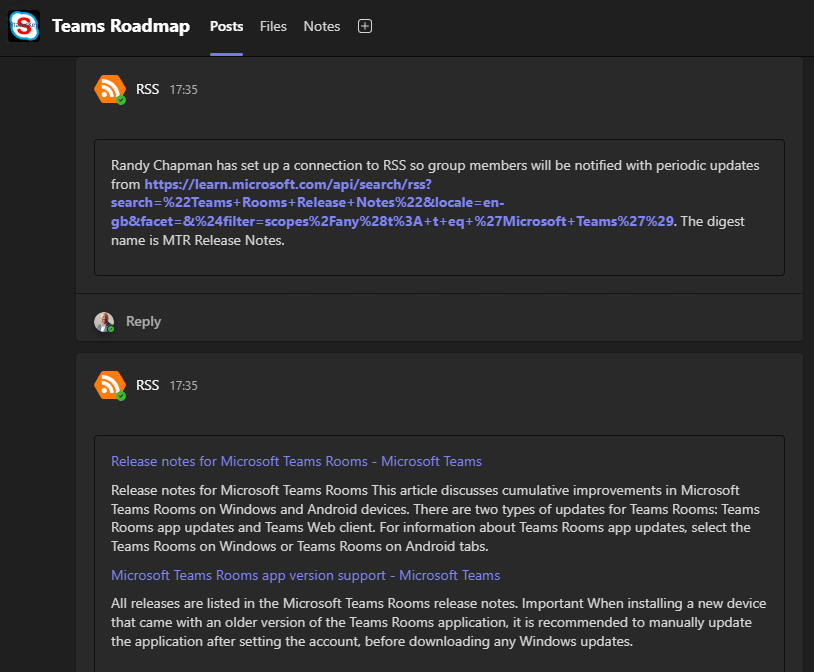
Now I just need to wait for the next new release note to see what that looks like. I’ll add it here when it happens.
Hope this is useful. Thanks for reading
Discover more from
Subscribe to get the latest posts sent to your email.

All I get is:
😦
Something went wrong.
An unexpected error occurred. Please try again.RequestId: e6cf5353-491e-2730-d53d-c9a1629ae51e Server: CWXP123MB2965 Date: 2024-02-23 12:12:27 +0000
LikeLike