

Hello Readers, I hope you’re well.
Welcome to Episode 72 of the UCStatus Podcast. This episode features me (@randychapman), Mark Vale (@markvale) and Shawn Harry (@shawnharry).
Nothing special in this one. Just a cherrypicked list of stuff from the Microsoft Teams Roadmap and the Message Centre. Here’s the list…
Roadmap
Built-in AI Interpreter for Calls on Teams Phone Devices
With AI Interpreter, Teams Phone Devices provide real time language interpretation directly within the call experience. Users can participate naturally in multilingual conversations while the device interprets spoken audio, reducing language barriers and supporting clearer communication in everyday calling scenarios.
GA date: April CY2026
Admin setting for simpler meeting passcodes (numeric-only)
Tenant admins can enable a meeting policy setting that generates 8 digit numeric-only passcodes for meetings organized by selected users/groups. Because numeric-only passcodes increase the risk of unauthorized access, enabling the setting displays a warning and requires explicit confirmation.
GA date: March CY2026
Simplified Teams app bar to create a cleaner and more focused experience
We’ve simplified the app bar to help you focus on what matters. Apps are easier to scan in a cleaner View more apps list, the overflow menu is less cluttered, and you can choose to show or hide the app bar to create more space for your work.
GA date: April CY2026
Secure Reliable Transport (SRT) Support for Teams town halls
Microsoft Teams will soon support Secure Reliable Transport (SRT) streaming in Teams town halls. SRT is a network protocol designed to deliver high-quality, low-latency video across the public internet.
SRT for reliable streaming in challenging network conditions.
GA date: March CY2026
Book future meetings directly from Teams panels
You can now make an upcoming meeting reservation from a Teams panel by browsing the calendar on the device and choosing any open time slot through midnight the next day. Add a guest during booking streamlining ad-hoc scheduling and coordination. Available with Teams Rooms Pro and Shared Device licenses.
GA date: April CY2026
Flexible layout for meetings with resizable divider
Microsoft Teams will introduce a resizable divider in meetings allowing users to adjust and swap the space between shared content and video gallery, supporting spotlighted, pinned, and Speaker View. This feature is enabled by default and requires no admin action.
GA date: April CY2026
Context preservation in Microsoft Teams
Microsoft Teams will restore recent conversation and view state if users return within 30 minutes, preserving tabs, side panels, layout, and selected messages. Rollout begins early April 2026, enabled by default for all users, with no admin controls or required actions
GA date: April CY2026
External domains anomalies report
Microsoft Teams will roll out the External domains anomalies report by mid-April 2026, helping admins detect unusual external communication. Available in the Teams admin center, it highlights abnormal activity and offers a block option. Admins can enable alerts for proactive notifications; no action is needed to access the report.
GA date: April CY2026
Digital signage support for Teams panels
Digital signage can now be displayed on idle Teams panel devices, similar to digital signage support for Microsoft Teams Rooms front of room displays. Signage source and settings can be configured in the Pro Management portal. Available with Teams Rooms Pro or Shared space-licensed spaces.
GA date: May CY2026
Attendee capacity packs for Teams events
Attendee capacity packs provide increased capacity limits for Teams events. Organizers can scale event attendance beyond base limits while maintaining a consistent Teams events experience.
GA date: May CY2026
Preview date: April CY2026
Microsoft Teams: Honor Windows Do not disturb setting
Microsoft Teams integrates with the Do not disturb setting in Windows to help reduce interruptions. Teams notifications are paused when Do not disturb is turned on, and resume after it is turned off.
GA date: April CY2026
Video recap in Teams
Intelligent meeting recap will now include video-based recaps. Video recap creates narrated video highlights from recorded meetings, featuring key takeaways and short clips that showcase important moments.
GA date: April CY2026
Microsoft Teams: Spoken language detection is now automatic
Spoken language detection is now fully automatic. Teams will automatically detect each speaker’s spoken language and update it in real time as the conversation evolves. Manual spoken language selection will no longer be available. This applies to both live captions and transcripts when Interpreter is enabled or when multilingual speech recognition is turned on in meeting options, helping deliver more accurate language recognition and a more consistent multilingual meeting experience.
GA date: April CY2026
Run SMB admin tasks faster with Microsoft 365 Admin Agent in Microsoft Teams
SMB Admins can use Microsoft 365 Admin Agent in Microsoft Teams to complete common admin tasks and get guidance on critical setup actions. Admin Agent can add users and assign licenses on behalf of the admin, as well as provide guidance on key SMB related topics such as organisation setup, security settings, and password resets—without leaving the Teams interface.
GA date: May CY2026
Microsoft Teams: Account Switching for Native Mac Controls via Dock and Menu Bar
Users will now find controls for switching between the accounts and tenants that they are signed into making it easier to navigate on Mac.
GA date: April CY2026
Microsoft Teams: Identify bots joining your Teams meetings
During Teams meetings, if there is an external 3P bot trying to join the meeting, organizers will be able to see a clear representation of the bots while they wait in the lobby. Organizers will be required to explicitly and separately admit these bots into the meeting, if really required. This approach will ensure that no one inadvertently accepts the external bots into the meeting ensuring that the organizers have full control over the presence of these bots.
GA date: May CY2026
Microsoft Teams: Minimized meeting window enhancements
We’re improving the experience when the active meeting window is minimized. Users can now raise their hand and send reactions without restoring the full meeting window. They can also choose between two minimized views: an expanded view that shows up to 4 participant videos, or a compact view that does not display other participants’ video.
GA date: April CY2026
Catch up on conversations in Microsoft Teams mobile
Catch up in Teams mobile provides a unified view of all directed and followed conversations across chats, meeting chats, channels and threads. The mobile-optimized card view supports swipe actions, helping you quickly review and triage lists of important items.
GA date: April CY2026
Microsoft Teams: delete meeting generated content in recap
Meeting organizers can now easily delete meeting generated content including recording, transcript, AI summary, and notes through the new delete button in recap page. Shared files in the meeting won’t be deleted.
GA date: April CY2026
Microsoft Teams: One-time email passcodes for external presenters in Teams events
One-time email passcodes provide an easy way for tenant administrators and event organizers to verify anonymous, external presenters invited to their events. Anonymous external presenters will be shown with a “Verified” tag once completing the process. Based on admin settings, the event organizer will also have a set of options available to them that applies to all external presenters, providing the ability to control who is admitted to the meeting or allowing uninvited users with the link to be admitted from the lobby.
GA date: April CY2026
Private organizer and presenter chat for structured meetings and webinars on Teams Rooms on Windows
Teams Rooms on Windows now supports separate chats for event coordination and audience engagement in structured meetings and webinars. When a room joins as an organizer, co-organizer, or presenter, organizers and presenters – including external presenters – can communicate privately in the Event Group chat, while switching to a separate chat to engage attendees. This helps to improve backstage coordination, reduce in event friction, and deliver smoother, more professional live experiences. Available in Teams Rooms Pro–licensed rooms.
GA date: May CY2026
Message Centre
Microsoft Teams Rooms on Android: License-based management updates for DM-synced devices
Microsoft Teams Rooms on Android devices synced via Device Management will have license-based management updates starting March 2026. Admin portal features will align with assigned licenses (Basic, Standard, Pro), affecting management capabilities but not in-room meeting experience. Review license assignments to prepare.
Changes to Teams Events licensing
Starting early April 2026, advanced Teams events features will be included with Teams Enterprise licenses, supporting up to 3,000 attendees. New capacity packs enable larger events. Teams Shared Space licenses expand device management. Microsoft Places features broaden access. Teams Premium retains exclusive advanced capabilities. No immediate admin action required.
Live transcription in Teams Rooms on Android
Microsoft Teams Rooms on Android will gain live transcription with speaker attribution, timestamps, and optional translation, requiring a Teams Rooms Pro license. Rollout starts late April 2026. Transcription is enabled by default, with no action needed, supporting accessibility and hybrid collaboration.
Microsoft Teams Rooms on Windows: Native PTZ controls – delayed again
Microsoft Teams Rooms on Windows will support native PTZ camera controls in the Camera settings menu when Enhanced Framing is off. Rollout starts late September 2026 worldwide, with admin toggle enabled by default. No admin action is needed before rollout; user notification is recommended.
Identify external bots joining your Teams meetings
Microsoft Teams will detect and label external meeting assistant bots joining meetings, giving organizers control to approve, deny, or remove them. A new admin policy will manage bot handling, with detection enabled by default starting mid-May to mid-June 2026. This enhances security and compliance visibility.
Microsoft Teams: Manage multiple phone numbers within one Teams account
Microsoft Teams Phone will allow assigning up to 10 phone numbers per user within one account, enabling calls from multiple numbers on various devices. Rolling out April-May 2026, this feature is off by default and requires admin configuration and a Teams Phone license. No prior action needed.
Multi-line support for Teams phone devices
Teams Phone will support multi-line users, allowing admins to assign up to 10 phone numbers per user within one Teams account. Users can call from multiple numbers on desktop, mobile, and devices. Rollout begins mid-April 2026. The feature is off by default and requires admin configuration and a Teams Phone license.
Catch-up in Teams Mobile
Microsoft Teams mobile will introduce a new “Catch up” view in early 2026, summarizing @mentions, replies, and chats in a card-based layout with swipe actions for quick triage. It is enabled by default, requires no admin changes, and aims to help users manage important messages efficiently.
Introducing Video Recap for Microsoft Teams
Microsoft Teams will introduce AI-generated video recaps for recorded English meetings, available only to users with a Microsoft 365 Copilot license. These narrated highlights combine key takeaways and clips, require no admin changes, and will roll out from April to May 2026.
AI-powered live interpretation on Teams Phone devices
AI-powered live interpretation will be available on certified Microsoft Teams Phone devices for users with a Microsoft 365 Copilot license starting mid-May 2026. It supports real-time language interpretation during various call types, requires policy enablement, is off by default, and excludes pure PSTN group calls.
Microsoft Teams: Copilot PSTN audio announcements
Microsoft Teams now provides audio announcements to PSTN participants when Copilot processes their audio in Copilot Only mode. This rollout is complete worldwide except GCCH and DoD (late June 2026). No admin action is needed; users may hear notifications when Copilot starts or stops processing audio.
Microsoft Teams: Auto-detect spoken language in multilingual meetings
Microsoft Teams will auto-detect spoken languages in multilingual meetings, updating captions and transcripts in real time, removing manual language selection. This applies when Interpreter or multilingual speech recognition is enabled, supports 10 languages, and rolls out April 2026. No admin action is required.
One-time email passcodes for external presenters in Teams events
Microsoft Teams will introduce one-time email passcodes to verify anonymous external presenters in events, rolling out from April to June 2026. Tenant admins can enforce verification policies, allowing organizers to control external presenter access by requiring sign-in or passcodes, enhancing event security and flexibility.
Microsoft Teams: New experience when users minimize the meeting window
Microsoft Teams will introduce a new minimized meeting window experience allowing users to raise hands and send reactions without restoring the full window. Two minimized views—expanded (showing up to four videos) and compact—are available. The update rolls out April–May 2026 and requires no admin action.
Microsoft Teams: Retirement of legacy third‑party meeting and call control APIs
Microsoft Teams will retire its legacy third-party meeting and call control APIs on June 30, 2026, removing external hardware/app control of meeting functions in the desktop client. Native Teams controls and supported integration models remain unaffected. Organizations should review and notify users of this change.
Copilot Recap
Back by popular demand. Keep in mind that this was generated by AI and may not capture exactly what we said or the sentimenmt and context around it accurately.
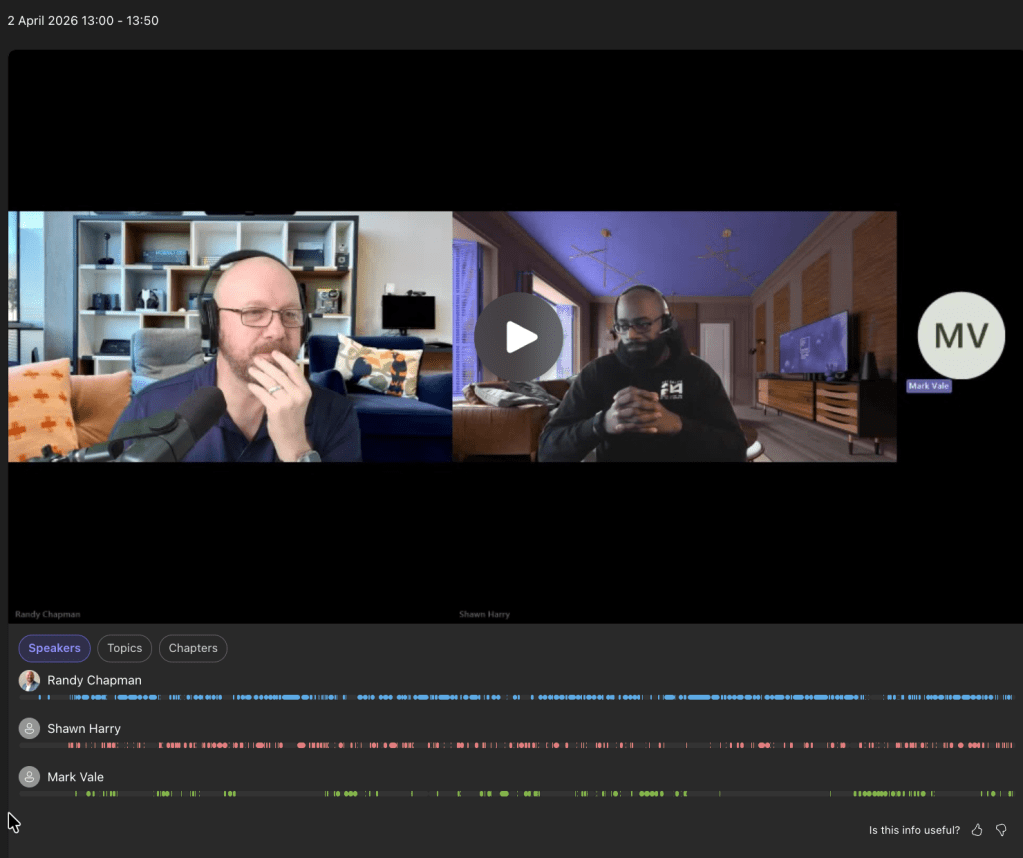
Meeting notes:
Generated by AI. Make sure to check for accuracy.
Meeting notes:
- Microsoft Teams Roadmap and Message Center Updates: Randy, Shawn, and Mark discussed a comprehensive list of new and upcoming Microsoft Teams features, focusing on both aspirational roadmap items and concrete Message Center updates, covering topics such as AI interpreters, UI changes, security enhancements, device management, and licensing changes.
- Roadmap vs. Message Center: Randy explained the distinction between the Microsoft Teams roadmap, which lists aspirational features with no guaranteed timeline, and the Message Center, which announces features that are being rolled out with more concrete dates and updates.
- AI Interpreter for Teams Phone Devices: The group discussed the introduction of a built-in AI interpreter for Teams phone devices, which provides real-time language interpretation within calls. Mark raised concerns about usability on small screens, and Randy clarified that spoken language interpretation is already available in Teams apps and rooms, including voice mimicry for translated speech.
- Simplified Meeting Passcodes: Randy described a new admin setting allowing numeric-only meeting passcodes for Teams meetings, noting that while this reduces complexity, Microsoft does not recommend it for security reasons. Shawn and Mark recalled past issues with meeting security and discussed the importance of lobby controls.
- UI and Experience Enhancements: Several UI improvements were highlighted, including a simplified Teams A bar, flexible meeting layouts with resizable dividers, context preservation for navigation, and a minimized meeting window experience. These changes aim to streamline user interactions and address longstanding usability concerns.
- Security and Compliance Features: The team reviewed new security features such as external domain anomalies reports, enhanced bot identification and admission controls for meetings, and the ability to delete meeting-generated content for compliance (e.g., GDPR). They discussed the integration of these features with Defender and the importance of centralized management.
- Device and Licensing Management: Updates to device management were covered, including license-based management for Teams Rooms on Android, migration to the Pro Portal for device configuration, and the renaming of shared device licenses to shared spaces licenses. Randy provided details on the rollout timeline and improvements in configuration profiles.
- Teams Events and Capacity Packs: Randy explained changes to Teams events licensing, where premium licenses are no longer required for large meetings up to 3,000 attendees, but capacity packs are needed for larger events. The group discussed the implications for organizers and the introduction of a unified Events app within Teams.
- Multi-Number and Multi-Line Support: The ability to assign up to 10 phone numbers per Teams user and support for multi-line Teams phone devices was discussed, with Mark and Shawn considering the impact on service provider billing models and potential use cases.
- Retirement of Legacy APIs: The retirement of legacy third-party meeting and call control APIs was announced, affecting integrations such as Stream Deck, with Randy noting that keyboard shortcuts will remain available for most functions.
- AI and Automation in Teams: The participants explored the expanding role of AI in Teams, including real-time interpretation, video and audio recaps, and compliance-related announcements, while also debating the risks and ethical considerations of AI-generated content and impersonation.
- Real-Time Language Interpretation: Randy described how Teams now supports real-time spoken language interpretation, including voice mimicry, and automatic detection of spoken languages during meetings, reducing the need for manual language selection.
- Video and Audio Recaps: The group discussed the new video recap feature, which generates summarized video snippets from recorded meetings, building on the existing audio recap functionality. Shawn suggested its use for creating vlogs or social media content, while Randy noted its potential for podcast recaps.
- AI Impersonation and Deepfakes: Mark raised the topic of AI-driven video impersonation, speculating about future features where bots could join meetings as users. Randy clarified that such features are not currently available and expressed concerns about the loss of personal touch and potential misuse for impersonation or misinformation.
- Compliance and Announcements: Randy explained that Teams now provides customizable audio and banner announcements for compliance when bots or copilot agents join calls, ensuring participants are informed and can consent to recording or AI involvement.
- Teams Device and Room Management Enhancements: Randy and Shawn detailed improvements in Teams device and room management, including new features for Teams panels, digital signage, live transcription, and the migration of device management to the Pro Portal, with a focus on simplifying administration and enhancing user experience.
- Teams Panel and Digital Signage: The ability to book future meetings directly from Teams panels was introduced, along with support for digital signage on panels, allowing organizations to display internal communications, emergency alerts, or marketing content outside meeting rooms.
- Live Transcription and Speaker Attribution: Live transcription with speaker attribution and optional translation is now available in Teams Rooms on Android, rolling out in April and enabled by default for Pro license holders.
- Device Management Migration: Device management for Teams Rooms on Android is transitioning to the Pro Portal starting in June, offering improved configuration options, bulk changes, and the ability to manage settings on a per-room basis.
- PTZ Controls Delay: Native PTZ (pan-tilt-zoom) controls for Teams Rooms on Windows have been delayed multiple times, now expected in September 2026, with Randy noting that current implementations only offer digital zoom rather than mechanical camera control.
- Security, Compliance, and Meeting Controls: The team discussed new security and compliance features in Teams, such as enhanced bot identification, external domain anomaly reporting, and improved controls for meeting content deletion and external presenter verification.
- Bot Identification and Admission: Teams organizers can now see and explicitly admit or deny third-party bots waiting in the meeting lobby, reducing the risk of unauthorized data access or espionage. Mark and Shawn emphasized the importance of restricting bot access to those approved by the organizer’s company.
- External Domain Anomalies Report: A new report helps admins detect unusual external communications and offers options to block suspicious domains, with Shawn suggesting integration with Defender for centralized security management.
- Meeting Content Deletion: Teams now allows deletion of meeting-generated content, including recordings, transcripts, and AI summaries, supporting compliance requirements such as GDPR and user requests to be forgotten.
- External Presenter Verification: One-time passcodes and captcha verification are being introduced for external presenters in Teams events, enhancing security for external participation.
- Licensing and Service Model Changes: Randy, Mark, and Shawn reviewed significant changes to Teams licensing, including the removal of the premium license requirement for large events, the introduction of capacity packs, and the renaming of device licenses, with discussion on the impact for service providers and customers.
- Teams Events Licensing Changes: Teams events (town halls and webinars) no longer require a premium license for up to 3,000 attendees, but capacity packs must be purchased for larger events, shifting the cost structure for organizers.
- Unified Events App: A new Events app within Teams consolidates scheduling, discovery, and recap features for webinars and town halls, replacing the legacy Live Events platform.
- Device License Renaming: The shared device license has been renamed to shared spaces license, reflecting its broader application to panels, phones, and other shared devices.
- Impact on Service Providers: The introduction of multi-number support per user and device is expected to affect billing models for service providers, prompting discussion on how providers may adapt to these changes.
Follow-up tasks:
- Teams Pro Portal Management Documentation: Paste a link to the article about managing Teams Rooms on Android devices in the Pro Portal into the meeting notes and send it to Shawn if he hasn’t seen it already. (Randy)
Transitioning Teams Android Device Management from Teams admin Center to the Teams Rooms Pro Management portal
Teams Android device management is moving from the Teams admin center to the Teams Rooms Pro Management portal between April and September 2026. PMP will unify management of all Teams devices with enhanced features.
There’s a Microsoft Docs post with all the detail
https://learn.microsoft.com/en-us/microsoftteams/rooms/aboutunifieddevicemanagement-pmp1
It was a fun discussion as always. Thanks for listening! Catch you next time.
As always, we’d love to hear your thoughts. Leave a comment below.
You can listen in-line in this post, or if you prefer, Spotify, Apple Podcasts, Amazon Podcasts, TuneIn or iHeartRadio. The links are below.




If you’ve enjoyed this or any other episodes of the UCStatus Podcast, why not take a second to subscribe, like and share.
We’d love to hear your comments and suggestions for future episodes so why not leave a comment.
Discover more from
Subscribe to get the latest posts sent to your email.
