
Hello Readers, I hope you’re well.
Welcome to Episode 71 of the UCStatus Podcast. This episode features me (@randychapman), Mark Vale (@markvale) and Shawn Harry (@shawnharry).
I’m sure you realised by now that we didn’t do an Ignite take-over because to be honest there wasn’t a lot to talk about surprisingly. We also haven’t done an ISE take-over for the same reason. Most of the news is dominated by AI, Agents, and Copilot. There’s just so much of that news that it pushes the normal Teams stuff to teh bottom of the pile.
That said, I still managed to find some “regular” Teams news in all the noise. Here’s the list…
Message Centre
Starting with breaking news
Transitioning Teams Android Device Management from Teams admin Center to the Teams Rooms Pro Management portal
Teams Android device management is moving from the Teams admin center to the Teams Rooms Pro Management portal between April and September 2026. PMP will unify management of all Teams devices with enhanced features.
What will happen:
- Starting June 2026, Android device management capabilities, including inventory, updates, health monitoring, and settings will transition from TAC to PMP for the device types, Teams Rooms on Android, Teams phones, Teams panels
- The following capabilities will be available and enhanced in PMP:
- Device inventories for Android-based Teams Rooms, phones, and panels, including metadata and app information
- Remote device actions (restart, log collection, sign-in/out, provisioning, and more)
- Update management
- Device settings management
- Device health monitoring
- SIP device management
- PMP will become the primary portal for all Teams device management. By July 2026, overlapping TAC capabilities (updates, settings, restart, sign-in/out, log collection, provisioning) will begin redirecting to PMP.
- Meeting notes now available for instant meetings
- Microsoft Teams now supports Loop-powered meeting notes for instant meetings, enabling collaborative agendas, notes, and task creation synced across Teams and Loop app. Rollout begins February 2026, with notes accessible during and after meetings, integrated with Planner and To Do. Feature enabled by default; no admin action required.
- Enhanced peripheral data in Pro Management portal reports for BYOD spaces
- Microsoft Teams is adding peripheral health reporting in the Pro Management portal for BYOD rooms and desks, enabling admins to detect device issues proactively. Room reports need a Teams Shared Devices license; desk reports are in public preview. Rollout starts April 2026, improving support and meeting reliability.
- Viva Engage communities in Teams
- Create custom templates for immersive events in Microsoft Teams
- Improvements to meeting threads in Microsoft Teams channels
- Microsoft Teams will reduce automatic meeting updates in channel conversations starting January 2026, making threads cleaner with reply counts showing real user responses. Meeting details remain accessible in threads.
- Microsoft Teams Copilot without transcription becomes default for meetings
- conversation history now persists – Microsoft Teams Copilot will default to a mode without transcription for new meetings starting late March 2026, with conversation history persisting during meetings. Transcription must be manually enabled for post-meeting queries. Tenants with policies updated after June 2024 are unaffected; admins can adjust policies to retain current behavior.
- Rule-based enablement of Microsoft 365 third-party apps in the Teams admin center
- Starting mid-March 2026, admins can manage Microsoft 365 certified third-party apps in Teams via org-wide settings with rule-based controls for app availability. This feature enhances security by allowing customization based on permissions and publishers. The rollout is automatic, with the new control disabled by default.
- Microsoft Teams frontline BYOD onboarding wizard
- Microsoft is introducing a dynamic onboarding wizard for frontline workers using personal Android or iOS devices with Microsoft Teams. It supports MFA and adapts to security policies. Public preview starts late November 2025; general availability begins mid-March 2026
- Branded meeting reactions in Teams Premium
- Teams Premium will allow organizations to replace standard meeting reactions with custom branded visuals via customization policies. Admins upload assets and assign themes, while users select themes when scheduling meetings.
- Choose your “Enter” key behavior in Teams Chat Settings
- Microsoft Teams will add a per-user setting allowing users to choose if pressing Enter sends a message (default) or starts a new line (with Ctrl/Cmd + Enter to send). Shift + Enter always inserts a new line. This applies to Desktop and Web, rolling out February–March 2026, with no admin action needed.
- New enrollment dashboard and data deletion controls in Teams Admin Center
- A new voice and face enrollment dashboard with data deletion controls will roll out in Teams Admin Center from mid-March to late March 2026. Admins can view and permanently delete enrollment data, requiring users to re-enroll for AI features. No changes to default enrollment or policies.
- Multiple phone number assignment to a single user on Teams Phone Devices
- Multi line support allows a single Teams Phone Device to handle multiple phone numbers assigned to the same user account, enabling users to make and receive calls from any of their numbers without switching accounts or devices. This capability brings flexibility and efficiency to scenarios where individuals manage multiple roles, regions, or responsibilities.
- GA date: April CY2026
- Multiple camera switching in Teams Rooms on Windows as a receiver
- Introducing new tool to migrate content from Slack to Microsoft Teams
- Teams application update needed to enable Explicit Recording Consent feature on Teams Phone Devices
- Microsoft Teams Phone Devices will require app version 1449/1.0.94.2025443703 to enable Explicit Recording Consent for 1:1 VoIP calls starting January 2026. Administrators must update devices before enabling this policy, which prompts participants for consent before recording or transcription begins.
- Private chat for organizers and presenters in structured meetings, webinars, and town halls
- New user setting to view incoming calls in a small window
- Room use and people count data based on size and capacity on the Pro Management portal shared spaces insights page
- Admins can block external users in Microsoft Teams from Defender Portal
- Admins can now block external users in Microsoft Teams via the Tenant Allow/Block List in the Microsoft Defender portal, controlling access and communications. This feature, rolling out January 2026, supports up to 4,000 domains and 200 emails, with audit logging and no impact on existing Teams settings.
- Upcoming improvements to the jump list experience on Windows
- Microsoft Teams on Windows will update the jump list by mid-February 2026, adding meeting access, scheduling, and chat actions, while removing the “Quit” option.
- Express voice enrollment in Microsoft Teams
- Express voice enrollment in Microsoft Teams makes registering your voice profile quick and seamless. A voice profile enables features such as voice isolation, speaker recognition, identification in meeting rooms, improved transcripts, and enhanced meeting recaps and insights powered by Microsoft 365 Copilot.
- IT admins will be able to customize recording and transcription notifications in Teams
- Starting January 2026, IT admins can customize Teams recording and transcription notification messages and privacy links per meeting policy, aligning consent language with organizational needs. Custom messages have a 200-character limit, support explicit and implicit consent, and apply only when enabled. Default messages remain if no custom text is set.
- Troubleshoot meetings and calls with automatic issue identification and recommendations in Teams admin center
Roadmap
- New profile cards for buildings, rooms and desks
- Buildings, rooms and desks that are added to the Places directory will have new profile cards, accessible from Copilot Chat and across other Microsoft 365 entry points.
- GA date: June CY2026
- New map-based room booking experience in Places Finder
- We are enhancing the room booking experience in the new calendar experience across Outlook for Windows, Outlook for the web, and Teams by introducing a map view within Places Finder. This update replaces the existing side panel with a full screen, easier to use interface that helps people quickly find and book the right space.
- GA date: August CY2026
- Digital signage in Teams Rooms on Android
- As with Teams Rooms on Windows, IT Admins can now set up Teams Rooms on Android to show dynamic signage content on the front-of-room display when the device is not in use for meetings or presentation. Configuration is available for tenant-wide and room-specific settings via the Teams Rooms Pro Management portal. The feature supports select third-party digital signage partners like Appspace and XOGO, and is included with Teams Rooms Pro.
- GA date: March CY2026
- Teams button on certified for Microsoft Teams personal peripheral devices one-click access to voice in Microsoft 365 Copilot within the Teams mobile app (iOS).
- Now, you can connect your certified for Microsoft Teams personal Bluetooth device (such as your personal headset or earbuds) and with one press of the Teams button you can launch the Teams mobile app and invoke voice in Microsoft 365 Copilot within Teams. This feature eliminates the hassle of navigating menus on your mobile phone, giving you instant access to your personal AI assistant for quick conversational voice answers. This capability is initially available in iOS. Android and desktop client will be supported in a future release.
- GA date: March CY2026
- Ad-hoc room reservation from Teams Rooms on Windows and Teams Room on Android console
- With Teams Rooms Touch consoles, you can quickly book a meeting room for immediate use, helping to avoid scheduling conflicts and ensure uninterrupted spontaneous meetings. Available in Teams Rooms Pro-licensed rooms.
- GA date: March CY2026
- Queues app historical reporting supports 45 days of data
- Historical reporting within Queues app will now support 45 days of historical data. The report will default a 7-day range with ability to customize the reporting range with up to 45 days of history.
- GA date: March CY2026
- Call quality feedback surveys for Teams Rooms on Android
- Users can now rate the quality of their calls and meetings and provide additional feedback on calling, video, and screen-sharing experiences to help organizations ensure consistent, high-quality experiences.
- GA date: March CY2026
- Brand Impersonation Protection for Teams Calling
- Identify if an external user is impersonating a brand commonly targeted by phishing attacks, during their initial contact with an enterprise user via Teams calling.
- GA date: February CY2026
- Scheduling with Copilot chat in classic Outlook for Windows
- Users can now schedule meetings directly from chat or by clicking “Schedule with Copilot” in the UI. Simply ask Copilot to schedule a meeting with colleagues, and it will find available times, book rooms, draft agendas, and send invites—all within the chat experience. This feature is available to users with a Microsoft 365 Copilot license.
- GA date: March CY2026
- Preview date: January CY2026
- Meeting Notes now available for instant meetings
- Teams meeting Notes, powered by Loop, are now available for instant calls and meetings, like those started from ‘Meet now’ and calls started from chat. Notes are Loop components in Teams meetings and chats that allow end users to co-create and collaborate on their meeting agenda, notes, and action items that can be co-authored and edited by everyone. Since Notes are Loop components, they stay in sync across all the places they have been shared. Once added, meeting notes can also be shared and edited in the Loop app in your web browser.
- GA date: February CY2026
- Prepare for meetings with Copilot in classic Outlook for Windows
- With so many of us in back-to-back meetings, it can be a real struggle to stay on top of pre-reads, action items, and even what each meeting is about. Copilot quickly prepares you for meetings within minutes by bringing real-time insights and summarizing relevant context, tasks, documents, and other resources. You can also chat directly with Copilot to prepare more deeply, to ensure you’re ready to go. This feature is already available in the new Outlook for Windows, Web, Mac, and Mobile and is now being adding to classic Outlook for Windows. It is only available for users with a Microsoft 365 Copilot license.
- GA date: March CY2026
- Preview date: January CY2026
Other
We also chatted about
- The end of the line for Teams Live Events
- Today, we’re announcing the retirement of Microsoft Teams live events and the associated Microsoft Graph APIs used to create Teams live events. This change will go into effect June 30, 2026, as part of our ongoing effort to continue to modernize our event experiences and deliver a more powerful and flexible solution for large-scale communications.
- While Teams live events will no longer be available to schedule after the retirement date, Microsoft will honor all live events already scheduled through February 28, 2027. Customers can continue to run those events as planned.
- As we look ahead, we encourage customers to transition to newly-announced Teams events experience, which provides a centralized, end‑to‑end experience for digital and hybrid events.
- Microsoft Teams events: A new unified experience makes it easier to discover, create, and manage events
- Microsoft Teams is redesigning the Meet app to unify Events, streamlining creation, discovery, and management of webinars, town halls, and custom events. Rollout starts February 2026 (targeted) and April 2026 (general). Existing meetings remain unchanged; no admin action needed. Training updates are recommended.
- Unified event creation flow for both webinars and town halls
- Centralized event discovery and tracking
- Simplified event management
- New capabilities give event organizers more control and flexibility
- Expanded access to events with new licensing
- Events will no longer require Teams Premium licensing! Starting in April
- Microsoft Teams is redesigning the Meet app to unify Events, streamlining creation, discovery, and management of webinars, town halls, and custom events. Rollout starts February 2026 (targeted) and April 2026 (general). Existing meetings remain unchanged; no admin action needed. Training updates are recommended.
Copilot Recap
Back by popular demand. Keep in mind that this was generated by AI and may not capture exactly what we said or the sentimenmt and context around it accurately.
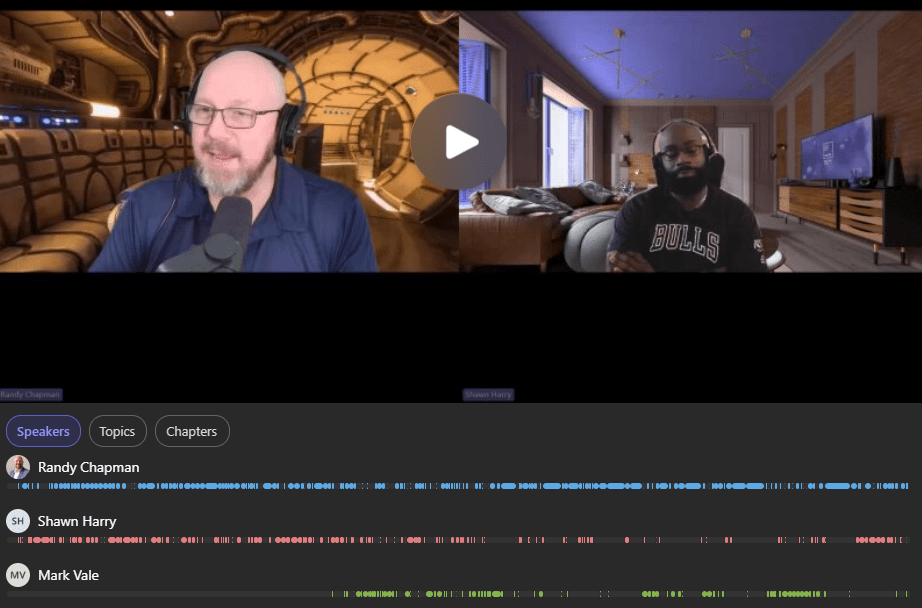
Meeting notes:
- Transition of Teams Android Device Management to Teams Pro Management Portal: Randy and Shawn discussed the transition of Teams Android device management from the Teams admin center to the Teams Pro management portal, highlighting new features such as device inventories, remote device actions, update management, health monitoring, and SIP device management, with the rollout starting in April and completing by September 2026.
- Transition Timeline and Scope: Randy explained that the transition of Teams Android device management from the Teams admin center to the Teams Pro management portal will begin with a preview in April and is expected to be completed by September 2026, including GCC and other environments.
- New Management Capabilities: The new portal will provide enhanced device inventories, metadata, app information, remote device actions such as restart, log collection, signing out, and provisioning, as well as update management and health monitoring for Teams Android devices.
- SIP Device Management Integration: SIP device management will be included, allowing for unified management of SIP devices alongside other Teams devices, which Shawn noted as a step toward consolidating device management into a single portal.
- API and Integration Requests: Shawn emphasized the need for an API to integrate third-party tools with the new portal, suggesting that unified provisioning and management would simplify administration, especially compared to other ecosystems like Cisco.
- Configuration Profiles and Partial Config: Randy described improvements in configuration profiles, such as the ability to push updates automatically to assigned rooms and support for partial configuration, which allows local settings to remain untouched, benefiting international deployments.
- BYOD and Meeting Room Trends: Randy and Shawn discussed the increasing prevalence of BYOD (Bring Your Own Device) in meeting spaces, the enhanced peripheral data program portal for BYOD spaces, and the evolving balance between dedicated Teams Rooms and BYOD setups, with Randy noting customer adoption patterns and technical considerations.
- BYOD Adoption Patterns: Randy observed that while some customers are deploying BYOD at scale, most are adopting a hybrid approach where important rooms are dedicated Teams Rooms and smaller spaces or booths are BYOD, rather than moving entirely to BYOD.
- User Experience Considerations: The team discussed the challenges of BYOD, such as the need for users to connect their own devices and potential disjointed experiences, but noted that some OEMs have simplified the process to make it nearly as seamless as dedicated solutions.
- Enhanced Peripheral Data Program Portal: Randy mentioned the new portal for BYOD spaces, which provides information about connected screens and peripherals, supporting better management and insights for BYOD environments.
- BYOD Onboarding Wizard for Frontline Workers: A dynamic onboarding wizard for frontline workers using personal Android or iOS devices within Teams was introduced, aiming to streamline the process for non-desk workers such as welders and builders.
- AI, Copilot, and Compliance in Teams: Randy, Shawn, and Mark Vale discussed the growing integration of AI features such as Copilot and Facilitator in Teams, the introduction of new enrollment dashboards and data deletion controls for voice and face profiles, and ongoing concerns and requirements around privacy, compliance, and selective recording.
- AI Features and Facilitator: Randy highlighted the increasing role of AI in Teams, including the Facilitator feature, which can use cameras for room management tasks and is integrated with the admin center for enhanced automation.
- Voice and Face Enrollment Dashboard: A new dashboard in the Teams admin center allows users and admins to view and permanently delete voice and face enrollment data, addressing privacy and compliance requirements such as GDPR.
- Privacy and Compliance Concerns: Shawn and Mark Vale discussed ongoing privacy concerns, especially in regulated industries like banking, and the importance of user control over biometric data, with Microsoft providing mechanisms for data deletion.
- Selective Recording and Notification Customization: The team discussed the need for more granular recording controls, such as selective recording based on meeting participants or call types, and the ability to customize recording and transcription notifications, with a 200-character limit for custom messages.
- AI Adoption and User Behavior: Mark Vale noted that while there are privacy concerns about AI, users often allow other platforms to use their data with less scrutiny, and organizations are leaving it to users to find use cases for Copilot rather than driving adoption centrally.
- Teams Phone Enhancements and PBX Features: Randy, Mark Vale, and Shawn discussed new Teams Phone features, including support for multiple phone numbers per user, requests for outbound dial string validation and authorization codes, and the evolution of Teams as a PBX replacement with advanced call management capabilities.
- Multiple Phone Numbers per User: Teams will soon support assigning multiple phone numbers to a single user, enabling users to make and receive calls from any assigned number without switching accounts or devices, with rollout expected in 2026.
- Outbound Dial String Validation: Mark Vale requested a feature for auto attendants to validate outbound dial strings using authorization codes, which would allow organizations to control call permissions and costs more granularly, similar to legacy PBX systems.
- PBX Feature Parity and Migration: The group reflected on Teams’ evolution toward full PBX functionality, including features like call pickup groups, per-user normalization rules, and the need for scalable, maintainable solutions for complex call routing and authorization.
- Recording Consent and Compliance: Teams phone devices will require an updated app version to enable explicit recording consent for one-to-one VoIP calls, supporting compliance requirements for call recording notifications.
- Teams Events, Webinars, and Meeting Features: Randy, Shawn, and Mark Vale reviewed updates to Teams events, including the rebranding of town halls and webinars as ‘events,’ the deprecation of Teams Live Events, improvements to meeting threads, and new features such as private chat for organizers and presenters.
- Rebranding and Deprecation: Town halls and webinars in Teams will be rebranded as ‘events,’ and Teams Live Events will be phased out, consolidating large meeting features under the new events umbrella.
- Private Chat for Organizers: A new feature allows organizers and presenters to have a private chat (green room) during structured meetings, webinars, and town halls, improving coordination during live events.
- Meeting Thread Improvements: Teams will reduce automatic meeting updates in channel conversations, making threads cleaner and displaying real user responses, enhancing the meeting experience in channels.
- Immersive Events and Custom Templates: Teams now supports custom templates for immersive events, leveraging VR-like experiences, though the group noted limited use cases in corporate environments and more potential in education or consumer contexts.
- Teams Places, Desk Booking, and Licensing Changes: Randy, Mark Vale, and Shawn discussed the development of Teams Places features, including map-based room booking, build cards for rooms and desks, and recent licensing changes that remove the requirement for Teams Premium for certain Places features.
- Map-Based Room and Desk Booking: Teams Places will support booking rooms and desks directly from a map interface, provided by mapping service partners, enhancing the user experience for workspace management.
- Build Cards for Rooms and Desks: New build cards will provide detailed information about rooms, buildings, and desks, accessible from the Places directory and Copilot chat, supporting better resource management.
- Licensing Changes for Places: Recent changes mean that Teams Premium is no longer required for desk booking and other Places features; instead, a shared device license per four desks is sufficient, reducing costs for organizations.
- Customer Adoption and Feedback: The group noted limited customer interest in Places so far, with some organizations preferring existing solutions, but acknowledged that the new UI and licensing changes may drive future adoption.
- Security, Compliance, and Admin Enhancements in Teams: Randy, Shawn, and Mark Vale covered new security and admin features in Teams, including the ability for admins to block external users via the Defender portal, enhanced reporting and analytics, and brand impersonation protection for Teams calling.
- Blocking External Users in Defender: Admins can now block external users in Teams via the Microsoft Defender portal, using allow or block lists for up to 4000 domains and 200 emails, with auditing and logging support.
- Brand Impersonation Protection: Teams calling now includes protection against brand impersonation, identifying external users who may be impersonating commonly targeted brands during initial contact, similar to email sender authentication standards.
- Reporting and Analytics Enhancements: Historical reporting for Teams queues has been extended to 45 days, with the ability to export CSVs for further analysis, though there is still demand for longer retention and API access for compliance and analytics.
- Jump List and Admin Center Improvements: The Teams app on Windows will receive updates to the jump list for easier access to controls, and the admin center will include new dashboards for face and voice enrollment data management.
- Additional Teams Features and Quality of Life Updates: The group discussed a variety of smaller Teams updates, including multiple camera switching in Teams Rooms, a Slack-to-Teams migration tool, customizable recording notifications, and improvements to call quality feedback and device integration.
- Multiple Camera Switching: Teams Rooms on Windows now support multi-camera view, allowing users to switch between up to four camera feeds during meetings, with controls available on the touch console.
- Slack-to-Teams Migration Tool: Microsoft has released a first-party tool to migrate content from Slack to Teams, supplementing existing third-party solutions.
- Customizable Recording Notifications: Admins can now customize recording and transcription notifications in Teams, with support for explicit and implicit consent and a 200-character message limit.
- Device Integration and Peripheral Updates: Certified Teams headsets and peripherals can now use the Teams button to invoke Copilot, and digital signage is being added to Teams Rooms on Android.
Follow-up tasks:
- Teams Device Management API: Request or investigate the availability of an API for Teams Pro Management Portal to enable third-party integration for device management. (Shawn)
- Teams Premium Licensing for Places: Look up and confirm the recent announcement regarding Teams Premium licensing requirements for Places features and update the meeting notes accordingly. (Randy) – found it
It was a fun discussion as always. Thanks for listening! Catch you next time.
As always, we’d love to hear your thoughts. Leave a comment below.
You can listen in-line in this post, or if you prefer, Spotify, Apple Podcasts, Amazon Podcasts, TuneIn or iHeartRadio. The links are below.




If you’ve enjoyed this or any other episodes of the UCStatus Podcast, why not take a second to subscribe, like and share.
We’d love to hear your comments and suggestions for future episodes so why not leave a comment.
Discover more from
Subscribe to get the latest posts sent to your email.
